
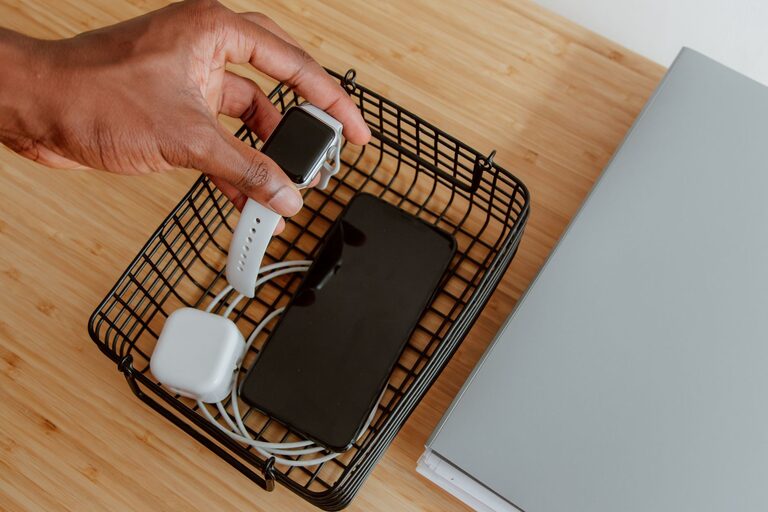
Creating a dedicated charging station for your devices can simplify your life, reduce clutter, and ensure that your gadgets are always ready to use. Whether you have smartphones, tablets, laptops, or other rechargeable devices, setting up a central spot to charge them efficiently is a smart move. This guide will walk you through the steps to design and organize a charging station that fits your needs and space.
Why Set Up a Charging Station?
With multiple devices in use daily, charging cables often end up tangled or scattered around the home or office. A charging station helps to:
– Keep cables organized and prevent tangling
– Save space by centralizing charging needs
– Reduce the risk of devices being misplaced
– Provide a neat and accessible place for charging
Choosing the Right Location
Before gathering supplies, decide where your charging station will live. Consider these factors:
– Accessibility: Pick a spot that’s easy to reach for everyone who uses the devices.
– Power outlets: Ensure there are enough outlets or the possibility to add a power strip.
– Ventilation: Devices can get warm when charging, so avoid confined spaces without airflow.
– Surface: A sturdy table, desk, or shelf works well for stability.
Common locations include a kitchen counter, a home office desk, or a living room side table.
What You’ll Need
Depending on your device types and quantity, your charging station setup may vary. Here’s a basic list to get started:
– Multi-port USB charger: Saves space by charging multiple devices simultaneously.
– Power strip: If you have several devices, a power strip with surge protection is helpful.
– Cable organizers: Clips, sleeves, or boxes to keep cables tidy.
– Charging dock or stands: Helps position devices upright and accessible.
– Labeling tools: Optional labels or tags to identify cables and charging spots.
– Container or tray: To keep smaller accessories organized in one place.
Step-by-Step Setup Guide
1. Gather and Declutter
Start by collecting all devices and cables you use regularly. Sort through them and remove any old or broken chargers. This will help reduce clutter and identify what you actually need.
2. Select the Charging Hardware
Choose a multi-port USB charger or a charging hub that supports fast charging if possible. This lets you charge several devices with a single plug, reducing outlet use and cable mess.
3. Set Up Power Connections
Plug your multi-port charger into a nearby outlet or power strip. If outlets are limited, consider using a surge protector with multiple plugs to safeguard your devices.
4. Organize Cables
Use cable clips or ties to separate and manage cables. Label each cable if multiple people use the station to avoid confusion. You can also use a cable box to hide excess cord length and keep the area neat.
5. Arrange Device Holders
Place charging docks or stands on the surface to keep devices upright and visible. This prevents devices from sliding off and makes it easier to monitor charging status.
6. Add Extra Storage
Use small containers or trays on or under the charging station for items like earbuds, power banks, or charging adapters. Keeping everything together makes the station more functional.
7. Test Your Setup
Plug in all devices and verify that each is charging correctly. Adjust cable lengths or reposition stands as needed for comfort and accessibility.
Tips for Maintenance and Safety
– Avoid overloading outlets: Make sure the total power draw of your devices doesn’t exceed the rating of your power strip or outlet.
– Regularly check cables: Replace worn or damaged cables to prevent hazards.
– Keep the station clean: Dust around chargers and cables to prevent overheating.
– Unplug when not in use: If you won’t use the station for extended periods, unplug chargers to save energy.
– Consider wireless charging: For compatible devices, wireless pads can reduce cable clutter further.
Customizing Your Charging Station
Your station should fit your lifestyle. Here are ideas to personalize and enhance it:
– Add lighting: LED strips or small lamps improve visibility.
– Incorporate decor: Use a stylish tray or matching containers to blend the station with your room.
– Portable stations: Use a caddy or basket if you want a mobile charging area.
– Smart plugs: Connect your chargers to smart plugs for scheduled power management.
Conclusion
Setting up a charging station is a simple project that can make a big difference in daily convenience and organization. By choosing the right spot, investing in quality charging equipment, and organizing cables smartly, you ensure your devices stay powered and ready. Whether at home or work, an organized charging station keeps technology hassle-free and your space clutter-free. Start building yours today and enjoy the benefits of a streamlined charging routine!